Accept payments in native mobile apps
Connect your iOS or Android app directly to NCR Voyix WebEPS using RSA-signed API calls — no browser redirect, no shared iframe. Card data stays inside NCR infrastructure while your app controls the native UX.
The Mobile Direct Integration lets a registered mobile device call InitializeSession using an RSA key pair tied to that device. The hosted payment form loads inside a native WKWebView (iOS) or WebView (Android). After card entry the ReturnURL is intercepted natively and CompleteSession is called server-side to finalise the transaction.
Device Registration is a one-time operation (signed with HMAC) that binds your RSA public key to a device ID in WebEPS. Purchase (every transaction) is signed with your RSA private key and never uses the HMAC secret.
Architecture
The integration has four actors: your Mobile App, your Backend Server, the NCR WebEPS API, and the NCR Hosted Payment Page loaded inside a WebView.
InitializeSession and CompleteSession must be called from your Backend Server. Your RSA private key and HMAC secret must never ship inside the mobile app binary.
| Step | Where it runs | Description |
|---|---|---|
| MobileRegistration one-time | Server | Registers RSA public key + device metadata with WebEPS (HMAC-signed) |
| InitializeSession | Server | Signs request with RSA private key; returns SessionId + RequestURL to the app |
| Load WKWebView | App | Opens RequestURL inside a native WebView |
| Card entry | App | Customer enters card inside the NCR-hosted form — app cannot read card data |
| ReturnURL intercept | App | WKNavigationDelegate detects the ReturnURL redirect and extracts statusCode |
| CompleteSession | Server | Finalises the transaction — call only after statusCode === 100 |
Integration flow
Prerequisites
Before writing any code, ensure you have:
- A WebEPS API key (
X-Key) and API secret for HMAC signing (device registration only) - A company number, store number, and lane number assigned to the device
- A unique, stable Device ID — typically the device serial number or a UUID persisted in secure storage
- An RSA-2048 (or RSA-4096) key pair — public PEM for registration, encrypted private PEM for signing purchases
- A backend server that can sign and proxy API calls to WebEPS (never sign from the app)
- A
ReturnURLandFrameHostingURLregistered with your backend (or device deep link scheme)
WKWebView + WKNavigationDelegate to intercept the ReturnURL redirect. iOS 16+ / Xcode 14+.WebView + WebViewClient.shouldOverrideUrlLoading to intercept the ReturnURL. Android 8.0+ (API 26+).1 Generate RSA Key Pair
Every registered device needs its own RSA key pair. The public key is uploaded to WebEPS during device registration. The private key (encrypted with a passphrase) stays on your backend and signs every InitializeSession request.
Store the encrypted private PEM only on your backend server. Never embed it in the mobile app binary, environment config, or source control. Use a secrets manager (AWS Secrets Manager, HashiCorp Vault, etc.).
Using RsaKeyGeneratorWpf (Windows GUI)
↓ Download RsaKeyGeneratorWpf.zip (~71 MB). Extract and run the application:
- Set key size to 2048 (minimum) or 4096.
- Enter a strong passphrase — you will need this when running
mdrcliand when configuring your backend. - Click Generate.
- Save
public.pemandprivate_encrypted.pemto a secure location.
Using OpenSSL (command line)
# 1. Generate 2048-bit private key (PKCS#8, AES-256 encrypted)
openssl genpkey -algorithm RSA -pkeyopt rsa_keygen_bits:2048 \
  -aes-256-cbc -pass pass:YOUR_PASSPHRASE \
  -out private_encrypted.pem

# 2. Extract the public key
openssl rsa -in private_encrypted.pem -passin pass:YOUR_PASSPHRASE \
  -pubout -out public.pem

# 3. Verify
openssl rsa -in private_encrypted.pem -passin pass:YOUR_PASSPHRASE -check
2 Register the Device one-time
Device registration binds the RSA public key to the device's identity in WebEPS. This is a one-time operation per device (or when replacing a key pair). It uses HMAC signing — not RSA — because the device has no private key yet at registration time.
POST {WebEPS_BASE_URL}/MobileRegistration · Signed with X-Signature (HMAC-SHA256 of the raw JSON body, hex-encoded)
Registration request body
{
  "DeviceId": "DEVICE-UUID-OR-SERIAL",
  "PublicKey": "-----BEGIN PUBLIC KEY-----\nMIIBIjANBg...\n-----END PUBLIC KEY-----",
  "KeyEncoding": "Pem",
  "Description": "iPad-Kiosk-Lane-01"
}
Required headers for MobileRegistration
| Header | Required | Value |
|---|---|---|
X-Key | required | Your WebEPS API key |
X-Signature | required | HMAC-SHA256 of raw JSON body, hex-encoded, using your API secret |
X-DeviceId | required | Unique stable device identifier |
X-CompanyNumber | required | WebEPS company number (e.g. 55555) |
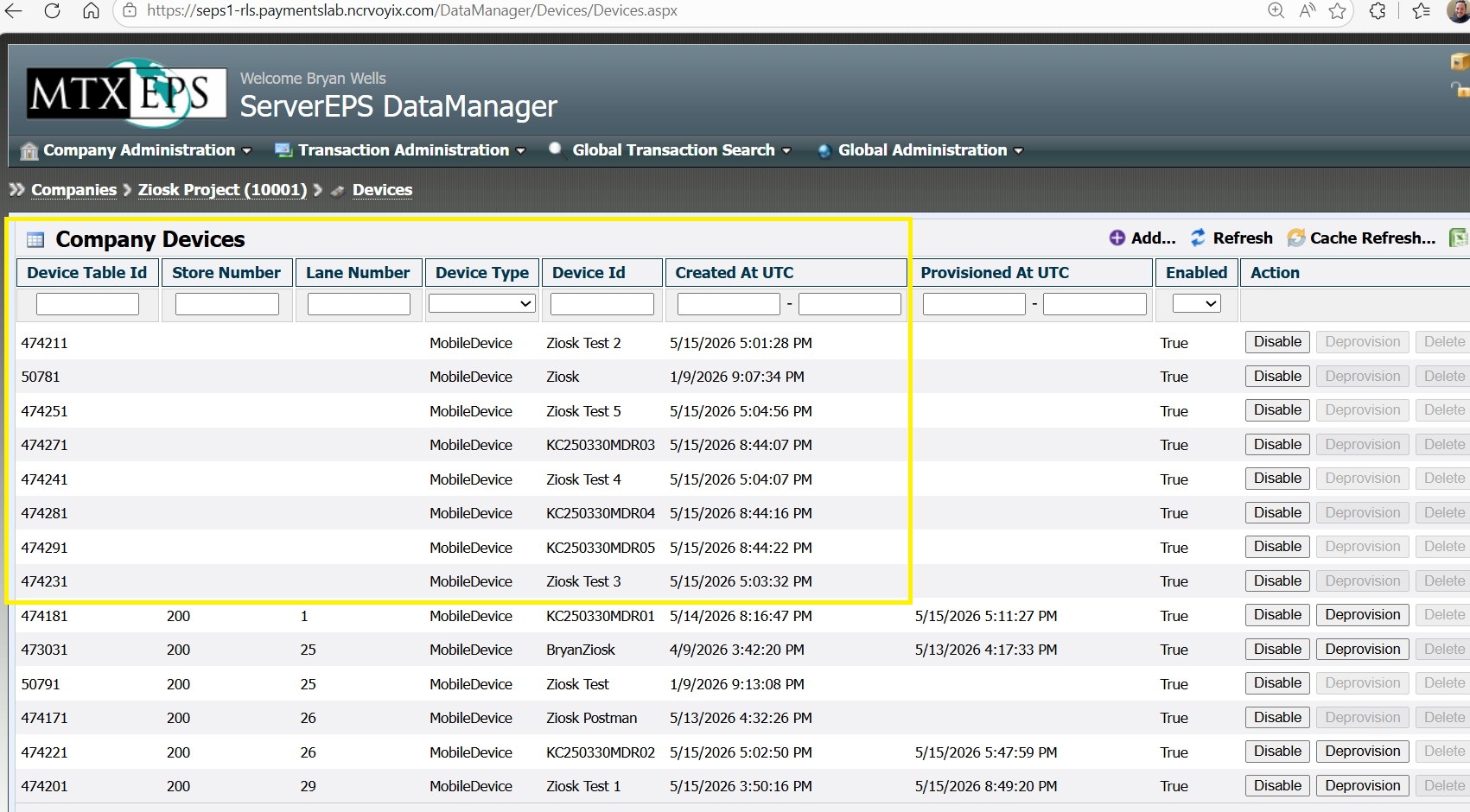
X-StoreNumber | required | Store number assigned to this device |
X-LaneNumber | required | Lane number assigned to this device |
X-Client-Application-Name | required | Your app name (e.g. MyPOSApp) |
Content-Type | required | application/json |
Backend route — MobileRegistration (HMAC-signed)
# HMAC-SHA256 signature must be computed server-side before calling the API.
# Example shows the direct WebEPS call after the signature is computed.
curl -X POST "https://seps1-rls.paymentslab.ncrvoyix.com/WebEPS/v1.4/MobileRegistration" \
  -H "Content-Type: application/json" \
  -H "X-Key: YOUR_API_KEY" \
  -H "X-Signature: YOUR_HMAC_SHA256_HEX_SIGNATURE" \
  -H "X-DeviceId: DEVICE-UUID-001" \
  -H "X-CompanyNumber: 55555" \
  -H "X-StoreNumber: 200" \
  -H "X-LaneNumber: 1" \
  -H "X-Client-Application-Name: MyPOSApp" \
  -d '{
    "DeviceId": "DEVICE-UUID-001",
    "PublicKey": "-----BEGIN PUBLIC KEY-----\nMIIBIjAN...\n-----END PUBLIC KEY-----",
    "KeyEncoding": "Pem",
    "Description": "iPad-Kiosk-Lane-01"
  }'
http POST https://seps1-rls.paymentslab.ncrvoyix.com/WebEPS/v1.4/MobileRegistration \
Content-Type:application/json \
X-Key:YOUR_API_KEY \
X-Signature:YOUR_HMAC_SHA256_HEX_SIGNATURE \
X-DeviceId:DEVICE-UUID-001 \
X-CompanyNumber:55555 \
X-StoreNumber:200 \
X-LaneNumber:1 \
X-Client-Application-Name:MyPOSApp \
DeviceId=DEVICE-UUID-001 \
PublicKey="-----BEGIN PUBLIC KEY-----\nMIIBIjAN...\n-----END PUBLIC KEY-----" \
KeyEncoding=Pem \
Description="iPad-Kiosk-Lane-01"import hmac, hashlib, json, requests
body = {
"DeviceId": "DEVICE-UUID-001",
"PublicKey": "-----BEGIN PUBLIC KEY-----\nMIIBIjAN...\n-----END PUBLIC KEY-----",
"KeyEncoding": "Pem",
"Description": "iPad-Kiosk-Lane-01",
}
raw = json.dumps(body, separators=(',', ':'))
signature = hmac.new(
API_SECRET.encode(), raw.encode(), hashlib.sha256
).hexdigest()
response = requests.post(
"https://seps1-rls.paymentslab.ncrvoyix.com/WebEPS/v1.4/MobileRegistration",
headers={
"Content-Type": "application/json",
"X-Key": API_KEY,
"X-Signature": signature,
"X-DeviceId": "DEVICE-UUID-001",
"X-CompanyNumber": "55555",
"X-StoreNumber": "200",
"X-LaneNumber": "1",
"X-Client-Application-Name": "MyPOSApp",
},
data=raw,
timeout=30,
)
print(response.status_code, response.json())using System.Security.Cryptography;
using System.Text;
var body = """{"DeviceId":"DEVICE-UUID-001","PublicKey":"-----BEGIN PUBLIC KEY-----\nMIIBIjAN...\n-----END PUBLIC KEY-----","KeyEncoding":"Pem","Description":"iPad-Kiosk-Lane-01"}""";
var signature = Convert.ToHexString(
HMACSHA256.HashData(Encoding.UTF8.GetBytes(apiSecret), Encoding.UTF8.GetBytes(body))
).ToLowerInvariant();
using var client = new HttpClient();
using var req = new HttpRequestMessage(HttpMethod.Post,
"https://seps1-rls.paymentslab.ncrvoyix.com/WebEPS/v1.4/MobileRegistration");
req.Headers.TryAddWithoutValidation("X-Key", apiKey);
req.Headers.TryAddWithoutValidation("X-Signature", signature);
req.Headers.TryAddWithoutValidation("X-DeviceId", "DEVICE-UUID-001");
req.Headers.TryAddWithoutValidation("X-CompanyNumber", "55555");
req.Headers.TryAddWithoutValidation("X-StoreNumber", "200");
req.Headers.TryAddWithoutValidation("X-LaneNumber", "1");
req.Headers.TryAddWithoutValidation("X-Client-Application-Name", "MyPOSApp");
req.Content = new StringContent(body, Encoding.UTF8, "application/json");
var res = await client.SendAsync(req);
Console.WriteLine((int)res.StatusCode);
Console.WriteLine(await res.Content.ReadAsStringAsync());import javax.crypto.Mac;
import javax.crypto.spec.SecretKeySpec;
import java.net.http.*;
import java.net.URI;
String body = "{\"DeviceId\":\"DEVICE-UUID-001\",\"PublicKey\":\"-----BEGIN PUBLIC KEY-----\\nMIIBIjAN...\\n-----END PUBLIC KEY-----\",\"KeyEncoding\":\"Pem\",\"Description\":\"iPad-Kiosk-Lane-01\"}";
Mac mac = Mac.getInstance("HmacSHA256");
mac.init(new SecretKeySpec(apiSecret.getBytes(), "HmacSHA256"));
String signature = HexFormat.of().formatHex(mac.doFinal(body.getBytes()));
HttpClient client = HttpClient.newHttpClient();
HttpResponse<String> response = client.send(
HttpRequest.newBuilder()
.uri(URI.create("https://seps1-rls.paymentslab.ncrvoyix.com/WebEPS/v1.4/MobileRegistration"))
.header("Content-Type", "application/json")
.header("X-Key", apiKey)
.header("X-Signature", signature)
.header("X-DeviceId", "DEVICE-UUID-001")
.header("X-CompanyNumber", "55555")
.header("X-StoreNumber", "200")
.header("X-LaneNumber", "1")
.header("X-Client-Application-Name", "MyPOSApp")
.POST(HttpRequest.BodyPublishers.ofString(body))
.build(),
HttpResponse.BodyHandlers.ofString()
);
System.out.println(response.statusCode() + " " + response.body());import crypto from 'crypto';
import fetch from 'node-fetch';
app.post('/mobile/register', async (req, res) => {
const { deviceId, publicPem, description } = req.body;
const body = JSON.stringify({
DeviceId: deviceId,
PublicKey: publicPem,
KeyEncoding: 'Pem',
Description: description ?? '',
});
// HMAC-SHA256 of the raw JSON body, hex-encoded
const signature = crypto
.createHmac('sha256', process.env.WEBEPS_API_SECRET)
.update(body)
.digest('hex');
const response = await fetch(
`${process.env.WEBEPS_BASE_URL}/MobileRegistration`,
{
method: 'POST',
headers: {
'Content-Type': 'application/json',
'X-Key': process.env.WEBEPS_API_KEY,
'X-Signature': signature,
'X-DeviceId': deviceId,
'X-CompanyNumber': process.env.WEBEPS_COMPANY_NUMBER,
'X-StoreNumber': process.env.WEBEPS_STORE_NUMBER,
'X-LaneNumber': process.env.WEBEPS_LANE_NUMBER,
'X-Client-Application-Name': process.env.CLIENT_APP_NAME,
},
body,
}
);
if (!response.ok) {
return res.status(502).json({ error: await response.text() });
}
res.json({ registered: true });
});3 Initialize a Payment Session
Before showing the payment form, your mobile app asks the backend to create a session. The backend RSA-signs the request and calls InitializeSession. WebEPS returns a SessionId and a one-time RequestURL that the app loads in the WebView.
For development and testing, set the transaction amount to $0.10 to minimise accidental charges. Never use production amounts until the full flow is verified end-to-end.
Session request payload
{
  "Amount": 0.10,
  "AllowCardNaming": false,
  "AuthorizationMode": 1,
  "FeeType": null,
  "FeeAmount": null,
  "TenderType": null,
  "UseShippingAddressForBilling": false,
  "UseDefaultAddressForBilling": false,
  "CustomerAccount": null,
  "UniqueTransactionIdentifier": null,
  "UniqueId": null,
  "StoreNumber": null,
  "ReturnMethod": 1,
  "ReturnURL": "https://your-backend.example.com/mobile/hpp-return",
  "FrameHostingURL": "https://your-backend.example.com",
  "AdditionalFrameHostingURLs": null,
  "TokenRetrievalRequired": true,
  "AccountAddressCollectionMode": "Full",
  "ValidateAccountSecurityCode": true,
  "ValidateAccountAddress": false
}
Backend route — InitializeSession (RSA-signed)
# RSA-SHA256 signature must be computed server-side — never from cURL directly.
curl -X POST "https://seps1-rls.paymentslab.ncrvoyix.com/WebEPS/v1.4/InitializeSession" \
  -H "Content-Type: application/json" \
  -H "X-Key: YOUR_API_KEY" \
  -H "X-Signature: YOUR_RSA_SHA256_HEX_SIGNATURE" \
  -H "X-DeviceId: DEVICE-UUID-001" \
  -H "X-CompanyNumber: 55555" \
  -H "X-StoreNumber: 200" \
  -H "X-LaneNumber: 1" \
  -H "X-Client-Application-Name: MyPOSApp" \
  -d '{
    "Amount": 0.10,
    "AllowCardNaming": false,
    "AuthorizationMode": 1,
    "ReturnMethod": 1,
    "ReturnURL": "https://your-backend.example.com/mobile/hpp-return",
    "FrameHostingURL": "https://your-backend.example.com",
    "TokenRetrievalRequired": true,
    "AccountAddressCollectionMode": "Full",
    "ValidateAccountSecurityCode": true,
    "ValidateAccountAddress": false
  }'
http POST https://seps1-rls.paymentslab.ncrvoyix.com/WebEPS/v1.4/InitializeSession \
Content-Type:application/json \
X-Key:YOUR_API_KEY \
X-Signature:YOUR_RSA_SHA256_HEX_SIGNATURE \
X-DeviceId:DEVICE-UUID-001 \
X-CompanyNumber:55555 \
X-StoreNumber:200 \
X-LaneNumber:1 \
X-Client-Application-Name:MyPOSApp \
Amount:=0.10 \
AllowCardNaming:=false \
AuthorizationMode:=1 \
ReturnMethod:=1 \
ReturnURL=https://your-backend.example.com/mobile/hpp-return \
FrameHostingURL=https://your-backend.example.com \
TokenRetrievalRequired:=true \
AccountAddressCollectionMode=Full \
ValidateAccountSecurityCode:=true \
ValidateAccountAddress:=falsefrom cryptography.hazmat.primitives import hashes, serialization
from cryptography.hazmat.primitives.asymmetric import padding
import json, binascii, requests
with open("private_encrypted.pem", "rb") as f:
private_key = serialization.load_pem_private_key(f.read(), password=b"YOUR_PASSPHRASE")
payload = json.dumps({
"Amount": 0.10, "AllowCardNaming": False, "AuthorizationMode": 1,
"FeeType": None, "FeeAmount": None, "TenderType": None,
"UseShippingAddressForBilling": False, "UseDefaultAddressForBilling": False,
"CustomerAccount": None, "UniqueTransactionIdentifier": None,
"UniqueId": None, "StoreNumber": None, "ReturnMethod": 1,
"ReturnURL": "https://your-backend.example.com/mobile/hpp-return",
"FrameHostingURL": "https://your-backend.example.com",
"AdditionalFrameHostingURLs": None,
"TokenRetrievalRequired": True,
"AccountAddressCollectionMode": "Full",
"ValidateAccountSecurityCode": True, "ValidateAccountAddress": False,
}, separators=(',', ':'))
sig = private_key.sign(payload.encode(), padding.PKCS1v15(), hashes.SHA256())
signature = binascii.hexlify(sig).decode()
response = requests.post(
"https://seps1-rls.paymentslab.ncrvoyix.com/WebEPS/v1.4/InitializeSession",
headers={
"Content-Type": "application/json",
"X-Key": API_KEY, "X-Signature": signature,
"X-DeviceId": "DEVICE-UUID-001",
"X-CompanyNumber": "55555", "X-StoreNumber": "200",
"X-LaneNumber": "1", "X-Client-Application-Name": "MyPOSApp",
},
data=payload, timeout=30,
)
print(response.json()) # { SessionId, RequestURL }using System.Security.Cryptography;
using System.Text;
var payload = """{"Amount":0.10,"AllowCardNaming":false,"AuthorizationMode":1,"ReturnMethod":1,"ReturnURL":"https://your-backend.example.com/mobile/hpp-return","FrameHostingURL":"https://your-backend.example.com","TokenRetrievalRequired":true,"AccountAddressCollectionMode":"Full","ValidateAccountSecurityCode":true,"ValidateAccountAddress":false}""";
using var rsa = RSA.Create();
rsa.ImportFromEncryptedPem(
File.ReadAllText("private_encrypted.pem"),
"YOUR_PASSPHRASE");
var sigBytes = rsa.SignData(
Encoding.UTF8.GetBytes(payload),
HashAlgorithmName.SHA256,
RSASignaturePadding.Pkcs1);
var signature = Convert.ToHexString(sigBytes).ToLowerInvariant();
using var client = new HttpClient();
using var req = new HttpRequestMessage(HttpMethod.Post,
"https://seps1-rls.paymentslab.ncrvoyix.com/WebEPS/v1.4/InitializeSession");
req.Headers.TryAddWithoutValidation("X-Key", apiKey);
req.Headers.TryAddWithoutValidation("X-Signature", signature);
req.Headers.TryAddWithoutValidation("X-DeviceId", "DEVICE-UUID-001");
req.Headers.TryAddWithoutValidation("X-CompanyNumber", "55555");
req.Headers.TryAddWithoutValidation("X-StoreNumber", "200");
req.Headers.TryAddWithoutValidation("X-LaneNumber", "1");
req.Headers.TryAddWithoutValidation("X-Client-Application-Name", "MyPOSApp");
req.Content = new StringContent(payload, Encoding.UTF8, "application/json");
var res = await client.SendAsync(req);
var json = await res.Content.ReadAsStringAsync();
// Deserialise to get SessionId and RequestURL
Console.WriteLine(json);import java.security.*;
import java.net.http.*;
import java.net.URI;
// Load encrypted private key via BouncyCastle PEMParser or KeyStore
// After loading as PrivateKey `privateKey`:
String payload = "{\"Amount\":0.10,\"AllowCardNaming\":false,\"AuthorizationMode\":1," +
"\"ReturnMethod\":1,\"ReturnURL\":\"https://your-backend.example.com/mobile/hpp-return\"," +
"\"FrameHostingURL\":\"https://your-backend.example.com\"," +
"\"TokenRetrievalRequired\":true,\"AccountAddressCollectionMode\":\"Full\"," +
"\"ValidateAccountSecurityCode\":true,\"ValidateAccountAddress\":false}";
Signature sig = Signature.getInstance("SHA256withRSA");
sig.initSign(privateKey);
sig.update(payload.getBytes());
String signature = HexFormat.of().formatHex(sig.sign());
HttpClient client = HttpClient.newHttpClient();
HttpResponse<String> response = client.send(
HttpRequest.newBuilder()
.uri(URI.create("https://seps1-rls.paymentslab.ncrvoyix.com/WebEPS/v1.4/InitializeSession"))
.header("Content-Type", "application/json")
.header("X-Key", apiKey)
.header("X-Signature", signature)
.header("X-DeviceId", "DEVICE-UUID-001")
.header("X-CompanyNumber", "55555")
.header("X-StoreNumber", "200")
.header("X-LaneNumber", "1")
.header("X-Client-Application-Name", "MyPOSApp")
.POST(HttpRequest.BodyPublishers.ofString(payload))
.build(),
HttpResponse.BodyHandlers.ofString()
);
System.out.println(response.body()); // { SessionId, RequestURL }import crypto from 'crypto';
import fs from 'fs';
import fetch from 'node-fetch';
const privateKey = fs.readFileSync(process.env.RSA_PRIVATE_PEM_PATH, 'utf8');
app.post('/api/payments/initialize', async (req, res) => {
const { amount = 0.10, returnURL } = req.body;
const payload = JSON.stringify({
Amount: amount,
AllowCardNaming: false,
AuthorizationMode: 1,
FeeType: null,
FeeAmount: null,
TenderType: null,
UseShippingAddressForBilling: false,
UseDefaultAddressForBilling: false,
CustomerAccount: null,
UniqueTransactionIdentifier: null,
UniqueId: null,
StoreNumber: null,
ReturnMethod: 1,
ReturnURL: returnURL ?? process.env.HPP_RETURN_URL,
FrameHostingURL: process.env.HPP_FRAME_HOSTING_URL,
AdditionalFrameHostingURLs: null,
TokenRetrievalRequired: true,
AccountAddressCollectionMode: 'Full',
ValidateAccountSecurityCode: true,
ValidateAccountAddress: false,
});
// RSA-SHA256, hex-encoded signature
const signature = crypto
.createSign('SHA256')
.update(payload)
.sign({ key: privateKey, passphrase: process.env.RSA_PASSPHRASE }, 'hex');
const response = await fetch(
`${process.env.WEBEPS_BASE_URL}/InitializeSession`,
{
method: 'POST',
headers: {
'Content-Type': 'application/json',
'X-Key': process.env.WEBEPS_API_KEY,
'X-Signature': signature,
'X-DeviceId': process.env.DEVICE_ID,
'X-CompanyNumber': process.env.WEBEPS_COMPANY_NUMBER,
'X-StoreNumber': process.env.WEBEPS_STORE_NUMBER,
'X-LaneNumber': process.env.WEBEPS_LANE_NUMBER,
'X-Client-Application-Name': process.env.CLIENT_APP_NAME,
},
body: payload,
}
);
if (!response.ok) {
return res.status(502).json({ error: await response.text() });
}
const data = await response.json();
// Return only what the app needs — never forward the full NCR response
res.json({
sessionId: data.SessionId,
requestURL: data.RequestURL,
});
});iOS — call from Swift
struct SessionResponse: Decodable {
    let sessionId:  String
    let requestURL: String
}

func initializeSession(amount: Double) async throws -> SessionResponse {
    let url = URL(string: "\(backendBaseURL)/api/payments/initialize")!
    var request = URLRequest(url: url)
    request.httpMethod = "POST"
    request.setValue("application/json", forHTTPHeaderField: "Content-Type")
    request.httpBody = try JSONEncoder().encode(["amount": amount])

    let (data, response) = try await URLSession.shared.data(for: request)
    guard let http = response as? HTTPURLResponse, http.statusCode == 200 else {
        throw PaymentError.sessionInitFailed
    }
    return try JSONDecoder().decode(SessionResponse.self, from: data)
}
4 Load the HPP Form in WKWebView
Once you have the requestURL, load it in a WKWebView. The entire payment form — card number, expiry, CVV, and digital wallet buttons — is rendered inside the WebView by NCR's infrastructure. Your app never sees raw card data.
Set allowsInlineMediaPlayback = true and ensure the WebView fills the payment sheet or modal so users are not confused by a tiny payment form. Also ensure your FrameHostingURL matches the domain of your host page.
iOS — Swift (WKWebView + WKNavigationDelegate)
import WebKit

class PaymentWebViewController: UIViewController, WKNavigationDelegate {

    private var webView: WKWebView!
    var sessionId:  String = ""
    var requestURL: String = ""
    var onPaymentResult: ((Int) -> Void)?

    override func viewDidLoad() {
        super.viewDidLoad()

        let config = WKWebViewConfiguration()
        config.allowsInlineMediaPlayback = true

        webView = WKWebView(frame: view.bounds, configuration: config)
        webView.autoresizingMask = [.flexibleWidth, .flexibleHeight]
        webView.navigationDelegate = self
        view.addSubview(webView)

        guard let url = URL(string: requestURL) else { return }
        webView.load(URLRequest(url: url))
    }

    // MARK: — WKNavigationDelegate

    func webView(
        _ webView: WKWebView,
        decidePolicyFor navigationAction: WKNavigationAction,
        decisionHandler: @escaping (WKNavigationActionPolicy) -> Void
    ) {
        guard let url = navigationAction.request.url else {
            decisionHandler(.allow)
            return
        }

        // Intercept our ReturnURL
        if url.absoluteString.hasPrefix(returnURLBase) {
            decisionHandler(.cancel)
            handleReturn(url: url)
        } else {
            decisionHandler(.allow)
        }
    }

    private func handleReturn(url: URL) {
        let components = URLComponents(url: url, resolvingAgainstBaseURL: false)
        let statusCode = components?.queryItems?
            .first(where: { $0.name == "statusCode" })
            .flatMap { Int($0.value ?? "") } ?? -1

        onPaymentResult?(statusCode)
        dismiss(animated: true)
    }
}
Android — Kotlin (WebView + WebViewClient)
class PaymentWebViewFragment : Fragment() {

    private lateinit var webView: WebView
    var onPaymentResult: ((Int) -> Unit)? = null

    override fun onViewCreated(view: View, savedInstanceState: Bundle?) {
        super.onViewCreated(view, savedInstanceState)

        webView = view.findViewById(R.id.paymentWebView)
        webView.settings.apply {
            javaScriptEnabled    = true
            domStorageEnabled    = true
            mediaPlaybackRequiresUserGesture = false
        }

        webView.webViewClient = object : WebViewClient() {
            override fun shouldOverrideUrlLoading(
                view: WebView, request: WebResourceRequest
            ): Boolean {
                val url = request.url
                return if (url.toString().startsWith(RETURN_URL_BASE)) {
                    val statusCode = url.getQueryParameter("statusCode")?.toIntOrNull() ?: -1
                    onPaymentResult?.invoke(statusCode)
                    true  // intercept — don't load
                } else {
                    false // let WebView load normally
                }
            }
        }

        val requestURL = arguments?.getString(ARG_REQUEST_URL) ?: return
        webView.loadUrl(requestURL)
    }
}
5 Handle the Return URL
When the customer completes (or cancels) card entry, WebEPS redirects the WebView to your ReturnURL with a statusCode query parameter. Your navigation delegate intercepts this redirect before the WebView loads it.
| statusCode | Meaning | Action |
|---|---|---|
100 | Payment authorised | Proceed to CompleteSession |
200 | Cancelled by customer | Dismiss the WebView, allow retry |
300 | Transaction declined | Show decline message, allow retry or new card |
400 | Session expired or invalid | Re-initialise session |
500 | Internal server error | Retry or show generic error |
Calling CompleteSession on a declined or cancelled session will result in an error. Always gate your CompleteSession call on statusCode === 100.
6 Complete the Session
After receiving statusCode 100, the app sends the sessionId to your backend which calls CompleteSession to finalise the transaction. This is RSA-signed with the same private key used for InitializeSession.
Backend route \u2014 CompleteSession (RSA-signed)
curl -X POST "https://seps1-rls.paymentslab.ncrvoyix.com/WebEPS/v1.4/CompleteSession" \
  -H "Content-Type: application/json" \
  -H "X-Key: YOUR_API_KEY" \
  -H "X-Signature: YOUR_RSA_SHA256_HEX_SIGNATURE" \
  -H "X-DeviceId: DEVICE-UUID-001" \
  -H "X-CompanyNumber: 55555" \
  -H "X-StoreNumber: 200" \
  -H "X-LaneNumber: 1" \
  -H "X-Client-Application-Name: MyPOSApp" \
  -d '{"SessionId":"45016f4cce57e5ab4e308a1822b9b9fc3336"}'
http POST https://seps1-rls.paymentslab.ncrvoyix.com/WebEPS/v1.4/CompleteSession \
Content-Type:application/json \
X-Key:YOUR_API_KEY \
X-Signature:YOUR_RSA_SHA256_HEX_SIGNATURE \
X-DeviceId:DEVICE-UUID-001 \
X-CompanyNumber:55555 \
X-StoreNumber:200 \
X-LaneNumber:1 \
X-Client-Application-Name:MyPOSApp \
SessionId=45016f4cce57e5ab4e308a1822b9b9fc3336from cryptography.hazmat.primitives import hashes, serialization
from cryptography.hazmat.primitives.asymmetric import padding
import json, binascii, requests
with open("private_encrypted.pem", "rb") as f:
private_key = serialization.load_pem_private_key(f.read(), password=b"YOUR_PASSPHRASE")
payload = json.dumps({"SessionId": session_id}, separators=(',', ':'))
sig = private_key.sign(payload.encode(), padding.PKCS1v15(), hashes.SHA256())
signature = binascii.hexlify(sig).decode()
response = requests.post(
"https://seps1-rls.paymentslab.ncrvoyix.com/WebEPS/v1.4/CompleteSession",
headers={
"Content-Type": "application/json",
"X-Key": API_KEY, "X-Signature": signature,
"X-DeviceId": "DEVICE-UUID-001",
"X-CompanyNumber": "55555", "X-StoreNumber": "200",
"X-LaneNumber": "1", "X-Client-Application-Name": "MyPOSApp",
},
data=payload, timeout=30,
)
print(response.status_code, response.json())using System.Security.Cryptography;
using System.Text;
var payload = $"{{\"SessionId\":\"{sessionId}\"}}";
using var rsa = RSA.Create();
rsa.ImportFromEncryptedPem(
File.ReadAllText("private_encrypted.pem"),
"YOUR_PASSPHRASE");
var sigBytes = rsa.SignData(
Encoding.UTF8.GetBytes(payload),
HashAlgorithmName.SHA256,
RSASignaturePadding.Pkcs1);
var signature = Convert.ToHexString(sigBytes).ToLowerInvariant();
using var client = new HttpClient();
using var req = new HttpRequestMessage(HttpMethod.Post,
"https://seps1-rls.paymentslab.ncrvoyix.com/WebEPS/v1.4/CompleteSession");
req.Headers.TryAddWithoutValidation("X-Key", apiKey);
req.Headers.TryAddWithoutValidation("X-Signature", signature);
req.Headers.TryAddWithoutValidation("X-DeviceId", "DEVICE-UUID-001");
req.Headers.TryAddWithoutValidation("X-CompanyNumber", "55555");
req.Headers.TryAddWithoutValidation("X-StoreNumber", "200");
req.Headers.TryAddWithoutValidation("X-LaneNumber", "1");
req.Headers.TryAddWithoutValidation("X-Client-Application-Name", "MyPOSApp");
req.Content = new StringContent(payload, Encoding.UTF8, "application/json");
var res = await client.SendAsync(req);
Console.WriteLine((int)res.StatusCode);
Console.WriteLine(await res.Content.ReadAsStringAsync());import java.security.*;
import java.net.http.*;
import java.net.URI;
String payload = "{\"SessionId\":\"" + sessionId + "\"}";
Signature sig = Signature.getInstance("SHA256withRSA");
sig.initSign(privateKey);
sig.update(payload.getBytes());
String signature = HexFormat.of().formatHex(sig.sign());
HttpClient client = HttpClient.newHttpClient();
HttpResponse<String> response = client.send(
HttpRequest.newBuilder()
.uri(URI.create("https://seps1-rls.paymentslab.ncrvoyix.com/WebEPS/v1.4/CompleteSession"))
.header("Content-Type", "application/json")
.header("X-Key", apiKey)
.header("X-Signature", signature)
.header("X-DeviceId", "DEVICE-UUID-001")
.header("X-CompanyNumber", "55555")
.header("X-StoreNumber", "200")
.header("X-LaneNumber", "1")
.header("X-Client-Application-Name", "MyPOSApp")
.POST(HttpRequest.BodyPublishers.ofString(payload))
.build(),
HttpResponse.BodyHandlers.ofString()
);
System.out.println(response.statusCode() + " " + response.body());app.post('/api/payments/complete', async (req, res) => {
const { sessionId } = req.body;
if (!sessionId) return res.status(400).json({ error: 'Missing sessionId' });
const payload = JSON.stringify({ SessionId: sessionId });
const signature = crypto
.createSign('SHA256')
.update(payload)
.sign({ key: privateKey, passphrase: process.env.RSA_PASSPHRASE }, 'hex');
const response = await fetch(
`${process.env.WEBEPS_BASE_URL}/CompleteSession`,
{
method: 'POST',
headers: {
'Content-Type': 'application/json',
'X-Key': process.env.WEBEPS_API_KEY,
'X-Signature': signature,
'X-DeviceId': process.env.DEVICE_ID,
'X-CompanyNumber': process.env.WEBEPS_COMPANY_NUMBER,
'X-StoreNumber': process.env.WEBEPS_STORE_NUMBER,
'X-LaneNumber': process.env.WEBEPS_LANE_NUMBER,
'X-Client-Application-Name': process.env.CLIENT_APP_NAME,
},
body: payload,
}
);
if (!response.ok) {
return res.status(502).json({ error: await response.text() });
}
const result = await response.json();
res.json({ success: true, transaction: result });
});iOS — call from Swift
func completeSession(sessionId: String) async throws {
    let url = URL(string: "\(backendBaseURL)/api/payments/complete")!
    var request = URLRequest(url: url)
    request.httpMethod = "POST"
    request.setValue("application/json", forHTTPHeaderField: "Content-Type")
    request.httpBody = try JSONEncoder().encode(["sessionId": sessionId])

    let (data, response) = try await URLSession.shared.data(for: request)
    guard let http = response as? HTTPURLResponse, http.statusCode == 200 else {
        throw PaymentError.completionFailed
    }
    // Parse and store the transaction result
    let result = try JSONDecoder().decode(TransactionResult.self, from: data)
    print("Transaction complete:", result)
}
7 Error Handling
Handle errors at three distinct points in the flow:
- Session creation failure — your
/api/payments/initializeendpoint returns non-200. Retry with back-off or show an error screen. Do not attempt to load the WebView. - Network loss during payment — the WebView may stall. Set a timeout; if the WebView hasn't signalled
webView(_:didFinishNavigation:)within 30 s, cancel and let the customer retry. - CompleteSession failure — if
/api/payments/completereturns non-200 afterstatusCode 100, log thesessionIdfor manual reconciliation. The authorisation has already been captured; do not re-charge.
If statusCode === 100 was received but CompleteSession fails, treat the transaction as captured. Implement idempotency on your backend using the sessionId as a unique key.
Testing with mdrcli
mdrcli.exe is a self-contained .NET 10 CLI that performs both MobileRegistration (HMAC) and test Purchase sessions (RSA) against WebEPS. Use it during development to verify your key pair and device credentials before writing app code.
↓ Download mdrcli.exe — pre-built Windows (win-x64) binary, no .NET SDK required (~23 MB) · ↓ Download mdrcli.zip — source + .NET 10 build files for cross-platform compile (~10 MB)
mdrcli.exe is compiled for win-x64. On macOS/Linux, download mdrcli.zip, extract, and build with dotnet publish targeting your platform.
Register a device
.\mdrcli.exe `
  --WebEpsType         MobileRegistration `
  --AuthMode           Hmac `
  --ApiBaseUrl         https://seps1-rls.paymentslab.ncrvoyix.com/WebEPS/v1.4 `
  --PublicPEMPath      .\public.pem `
  --ClientApiKey       YOUR_API_KEY `
  --ClientApiSecret    YOUR_API_SECRET `
  --DeviceId           DEVICE-UUID-001 `
  --CompanyNumber      55555 `
  --StoreNumber        200 `
  --LaneNumber         1 `
  --ClientApplicationName MyPOSApp
Test a purchase (RSA)
.\mdrcli.exe `
  --WebEpsType         Purchase `
  --AuthMode           Rsa `
  --ApiBaseUrl         https://seps1-rls.paymentslab.ncrvoyix.com/WebEPS/v1.4 `
  --PrivatePEMPath     .\private_encrypted.pem `
  --Password           YOUR_PASSPHRASE `
  --PublicPEMPath      .\public.pem `
  --ClientApiKey       YOUR_API_KEY `
  --DeviceId           DEVICE-UUID-001 `
  --CompanyNumber      55555 `
  --StoreNumber        200 `
  --LaneNumber         1 `
  --ClientApplicationName MyPOSApp
mdrcli parameters
| Parameter | Required for | Notes |
|---|---|---|
--WebEpsType | Both | MobileRegistration or Purchase. Prompted if omitted. |
--AuthMode | Both | Hmac for registration; Rsa for purchase. |
--ApiBaseUrl | Both | Default: https://WIN-7WNVHL3/WebEPS/v1.4 (local dev). Override for sandbox/prod. |
--PublicPEMPath | Registration | Path to public.pem. Optional for Purchase. |
--PrivatePEMPath | Purchase | Path to encrypted private PEM. |
--Password | Purchase | Passphrase for the encrypted private PEM. |
--ClientApiKey | Both | Sent as X-Key. |
--ClientApiSecret | Registration | Used to compute HMAC signature. |
--DeviceId | Both | Sent as X-DeviceId. |
--CompanyNumber | Both | Sent as X-CompanyNumber. |
--StoreNumber | Both | Sent as X-StoreNumber. |
--LaneNumber | Both | Sent as X-LaneNumber. |
--ClientApplicationName | Both | Sent as X-Client-Application-Name. |
--SignatureEncoding | Both | Hex only. Base64 is not supported. |
Postman Collection
A ready-made Postman collection for the mobile device registration and purchase flows is included below. Import the collection and the matching environment file into Postman, then fill in your credentials:
↓ Download mobile-postman-collection.zip — Postman collection + environment files (~82 MB)
WEBEPS_BASE_URL—https://seps1-rls.paymentslab.ncrvoyix.com/WebEPSWEBEPS_API_VERSION—v1.4WEBEPS_COMPANY_NUMBER,WEBEPS_STORE_NUMBERCLIENT_API_KEY,CLIENT_API_SECRETDEVICE_ID,PUBLIC_PEM,PRIVATE_PEM_PATH,RSA_PASSPHRASE
API Reference — Request Headers
All WebEPS API calls share the same set of required headers. The X-Signature computation method differs by operation.
| Header | Required | Description |
|---|---|---|
Content-Type | required | application/json |
X-Key | required | Your WebEPS API key |
X-Signature | required | HMAC-SHA256 (registration) or RSA-SHA256 (purchase / complete) of the raw JSON body, hex-encoded |
X-DeviceId | required | Unique stable device identifier, same value used during registration |
X-CompanyNumber | required | WebEPS company number |
X-StoreNumber | required | Store number |
X-LaneNumber | required | Lane number |
X-Client-Application-Name | required | Application name string |
API Reference — InitializeSession Body Fields
| Field | Type | Required | Description |
|---|---|---|---|
Amount | number | required | Transaction amount in dollars. Use 0.10 for testing. |
ReturnURL | string | required | URL WebEPS redirects to after payment. Must match your registered backend domain. |
FrameHostingURL | string | required | Origin that hosts the payment form. Must be whitelisted in WebEPS. |
ReturnMethod | number | required | 1 = redirect (standard for mobile). 2 = postMessage (web only). |
AuthorizationMode | number | required | 1 = Auth + Capture. 2 = Auth only. |
TokenRetrievalRequired | boolean | optional | Set true to receive a payment token for future transactions. |
AllowCardNaming | boolean | optional | Allow the customer to name and save a card. Default false. |
AccountAddressCollectionMode | string | optional | "Full", "PostalOnly", or "None". |
ValidateAccountSecurityCode | boolean | optional | Require CVV entry. Default true. |
ValidateAccountAddress | boolean | optional | Require AVS check. Default false. |
UniqueId | string | optional | Your order or cart reference ID for idempotency tracking. |
CustomerAccount | string | optional | Pre-populate a saved customer account token. |
FeeType | string / null | optional | Convenience fee type identifier. null if not applicable. |
FeeAmount | number / null | optional | Convenience fee amount. null if not applicable. |
API Reference — MobileRegistration Body Fields
| Field | Type | Required | Description |
|---|---|---|---|
DeviceId | string | required | Unique stable device identifier. Use the hardware serial or a UUID stored in secure storage. |
PublicKey | string | required | PEM-encoded RSA public key (PKCS#8 or PKCS#1 format accepted). |
KeyEncoding | string | required | "Pem" |
Description | string | optional | Human-readable label for the device in the WebEPS portal. |
Status Codes
| statusCode | Name | Description |
|---|---|---|
100 | Success | Transaction authorised. Proceed to CompleteSession. |
200 | Cancelled | Customer clicked Cancel. Allow retry. |
300 | Declined | Card declined. Show friendly message; allow new card entry. |
400 | Session invalid | Session expired or not found. Re-call InitializeSession. |
500 | Server error | NCR internal error. Retry after a short delay. |
Environment Variables
Configure your backend with the following environment variables. Never commit secrets to source control.
# WebEPS connection
WEBEPS_BASE_URL=https://seps1-rls.paymentslab.ncrvoyix.com/WebEPS/v1.4
WEBEPS_COMPANY_NUMBER=55555
WEBEPS_STORE_NUMBER=200
WEBEPS_LANE_NUMBER=1

# Credentials
WEBEPS_API_KEY=your-api-key
WEBEPS_API_SECRET=your-api-secret           # HMAC — registration only

# Device
DEVICE_ID=DEVICE-UUID-001
CLIENT_APP_NAME=MyPOSApp

# RSA key (backend only — never ship to the mobile app)
RSA_PRIVATE_PEM_PATH=/run/secrets/private_encrypted.pem
RSA_PASSPHRASE=your-strong-passphrase

# HPP URLs
HPP_RETURN_URL=https://your-backend.example.com/mobile/hpp-return
HPP_FRAME_HOSTING_URL=https://your-backend.example.com
Downloads
All tools and reference files needed to set up and test mobile direct integration.
| File | Description | Size | |
|---|---|---|---|
mobile-device-registration-guide.pdf |
Full MobileDeviceRegistrationCli reference — parameters, flow diagrams, and setup guide | ~1.7 MB | ↓ Download PDF |
RsaKeyGeneratorWpf.zip |
Windows GUI app for generating RSA-2048/4096 key pairs (public + encrypted private PEM) | ~71 MB | ↓ Download ZIP |
mdrcli.zip |
MobileDeviceRegistrationCli source + build files (.NET 10) — cross-platform build | ~10 MB | ↓ Download ZIP |
mdrcli.exe |
Pre-built Windows (win-x64) self-contained CLI binary — run without .NET SDK installed | ~23 MB | ↓ Download EXE |
mobile-postman-collection.zip |
Postman collection + environment files for MobileRegistration and Purchase flows | ~82 MB | ↓ Download ZIP |
mobile-devices-setup.jpg |
Device setup for testing — photo reference of recommended hardware configuration | ~420 KB | ↓ Download JPG |
Security Checklist
- ✅ RSA private key stored only on backend — never in the app binary, asset bundle, or environment config that ships with the app
- ✅ HMAC secret used exclusively for device registration; rotated when any backend compromise is suspected
- ✅
ReturnURLandFrameHostingURLvalidated server-side against an allowlist - ✅
CompleteSessiongated strictly onstatusCode === 100 - ✅ Session IDs stored server-side only; the app never stores or logs the
sessionId - ✅ Certificate pinning enabled in
URLSession/OkHttpClientfor all calls to your backend - ✅ App Transport Security (ATS) enforced on iOS — no
NSAllowsArbitraryLoadsin production build - ✅
Amountvalue always set server-side from your order store — never trusted from app input - ✅
UniqueIdused for idempotency onCompleteSessionto prevent double-charges on retries